Parolsh







Speak to your terminal. Natural language first.
Parolsh is a shell where natural language is the primary command language.
What you type goes to an AI agent through the
Agent Client Protocol (ACP), and Bash stays
one ! away.
[claude] ~/projects/wallet ✦ list the 10 most recently modified files     ← the agent
[claude] ~/projects/wallet ✦ !git status                                  ← bash
[claude] ~/projects/wallet ✦ !bash                                        ← a full Bash session
[claude] ~/projects/wallet ✦ #cd ~/projects/billing                       ← Parolsh itself
! alone locks plain text to bash (the prompt shows ❯), and ? alone
unlocks it back to the agent (✦).
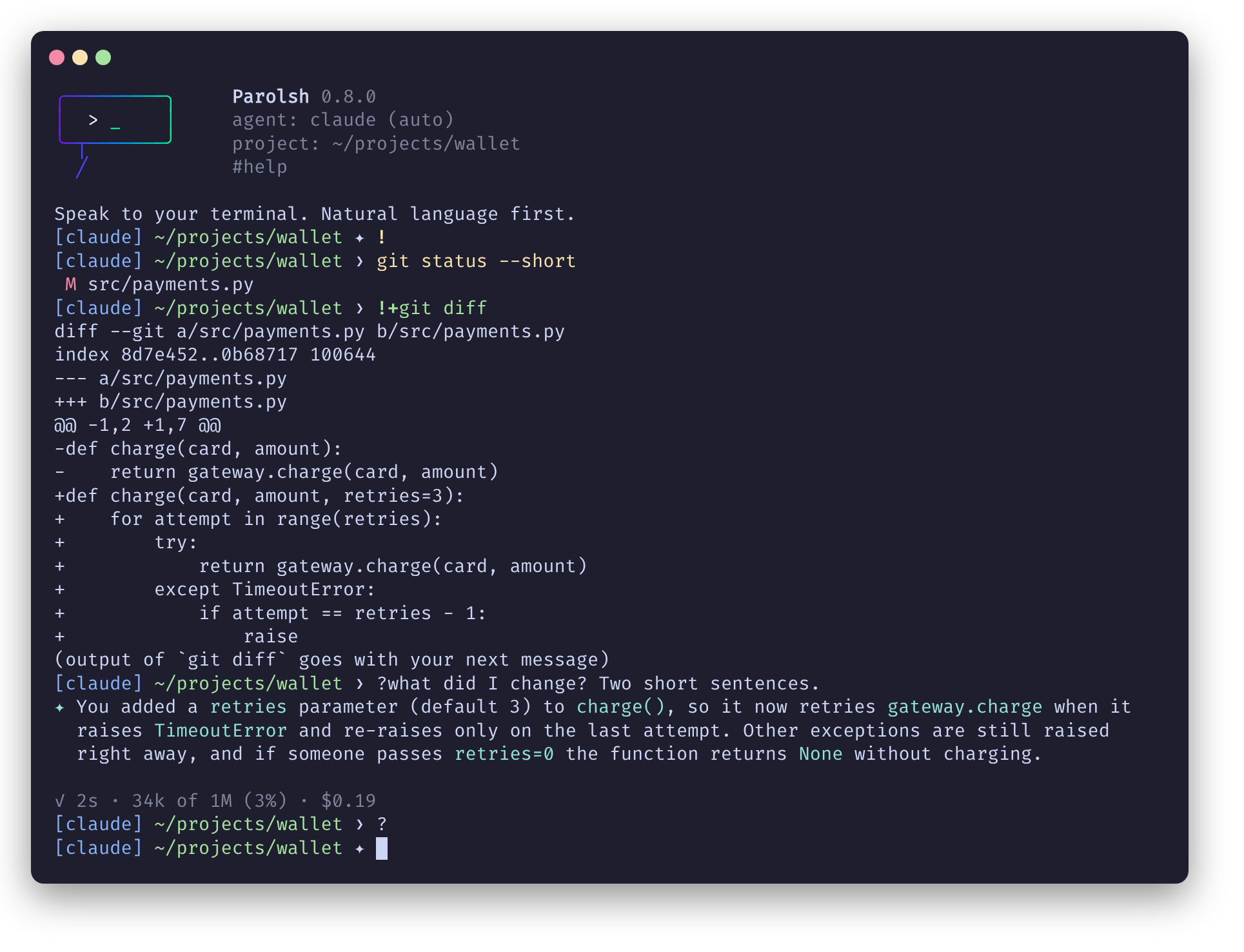
It runs inside your usual terminal emulator, prints to the normal scrollback (no full-screen UI), and works with any ACP agent: Claude Code, Codex, Qwen Code, Gemini CLI, OpenCode and others.
The name comes from Esperanto parol- (to speak) + sh.
Parolsh is young software, and commands, configuration and behavior may still change between releases.
It hands your terminal to an AI agent. The agent can read files, edit them and
run commands in your directory with your user's permissions, and it can be
wrong. Read each permission request before you approve it, prefer the agent's
more restrictive modes in directories you care about, and keep your work under
version control. Anything you send with !+command goes to the agent's
provider.
Input
Every line is routed by its first character. Nothing guesses whether you typed English or a command.
| You type | What happens |
|---|---|
text | Sent to the agent |
/command | Sent to the agent unchanged (the agent's own slash commands) |
!command | Run with bash -ic, in the current directory |
!+command | Run the same way, and send its output with your next message |
!bash | Interactive Bash session; exit returns to Parolsh |
#command | Parolsh control command, see #help |
See Input routing.
Install
Add the ByJG package repository, then:
# Debian/Ubuntu
sudo apt install parolsh

# Fedora/RHEL
sudo dnf install parolsh
Packages are built for amd64 and arm64, and need glibc 2.28 or newer
(Debian 10+, Ubuntu 20.04+, RHEL 8+).
On macOS (or Linux) with Homebrew:
brew install byjg/tap/parolsh
Homebrew builds it from source, installing Rust only for the build.
Then install an ACP agent, for example
npm install -g @agentclientprotocol/claude-agent-acp, and run parolsh: the
first run creates ~/.config/parolsh/config.toml with the agents it finds
already enabled. See Getting started.
Documentation
Build from source
Requires Rust 1.88 or newer.
cargo build --release
./target/release/parolsh
Run the checks the CI runs:
cargo fmt --check
cargo clippy --all-targets -- -D warnings
cargo test
License
MIT